

Python SDK25.5A Burn Lag: Common Causes, Performance Issues and Fixes
Python SDK25.5A Burn Lag can be frustrating when you’re working on a Python project and suddenly notice slow execution, delayed responses, or unexpected performance issues. These problems can interrupt your workflow and affect how smoothly your application operates.
Whether you’re a beginner or an experienced developer, identifying the reasons behind these slowdowns is important for maintaining a stable development environment. In this article, we’ll cover the common causes of Python SDK25.5A Burn Lag, its possible effects on application performance, and practical solutions that can help reduce unnecessary delays.
What Is Python SDK25.5A Burn Lag?
Python SDK25.5A Burn Lag refers to a performance-related concern associated with the use of a Python SDK identified by the version or label 25.5A. The term may be used to describe slow execution, unexpected delays, resource consumption, or application responsiveness problems.
An SDK, or Software Development Kit, provides developers with tools, libraries, functions, and resources for building applications. Python-based SDKs can simplify development by providing ready-made components instead of requiring developers to write every function from scratch.
When an SDK-based application experiences lag, the problem can originate from several areas, including inefficient code, incompatible dependencies, network delays, memory limitations, or incorrect configuration.
It is important to note that Python SDK25.5A does not identify a universally documented Python release. Therefore, developers should verify the exact SDK package and its official documentation before applying version-specific fixes.
Read More: Yenkly Com: Website Features, User Benefits and Online Platform Guide
Common Symptoms of Python SDK25.5A Burn Lag
Identifying the symptoms is the first step toward finding the correct solution. Performance problems can appear differently depending on the application, operating system, hardware, and development environment. Here are some common symptoms developers may experience.
1. Slow Script Execution
One noticeable symptom is that Python scripts take longer than expected to complete. Operations that previously finished quickly may begin taking several seconds or minutes.
This can happen when the application performs unnecessary calculations, repeatedly processes large datasets, or uses inefficient loops.
For example, repeatedly reading the same file or making unnecessary API requests can increase execution time.
2. High CPU Usage
Excessive CPU consumption can make an application feel slow. When a Python process continuously performs calculations or executes unnecessary background tasks, it may use more processing power than required. High CPU usage can also affect other applications running on the same computer.
3. Increased Memory Consumption
Memory-related problems can create another form of performance lag. Applications that continuously allocate memory without releasing unnecessary objects may gradually consume more RAM.
When available memory becomes limited, the operating system may rely more heavily on disk-based memory management, which can reduce overall responsiveness.
4. Delayed API Responses
Some Python SDKs communicate with external services through APIs. If requests take longer to complete, the application may appear unresponsive.
Possible reasons include slow internet connections, server-side delays, request timeouts, or inefficient API communication.
5. Application Freezing or Unexpected Delays
An application may temporarily stop responding when a process blocks the main execution thread. This is particularly noticeable in applications that perform lengthy operations without using appropriate asynchronous processing or background workers.
Main Causes of Python SDK25.5A Burn Lag
Understanding the possible causes makes troubleshooting easier. Instead of changing random settings, developers should identify which part of the application is responsible for the slowdown.
1. Outdated Python Packages
Using outdated packages can sometimes create compatibility and performance problems. An SDK may depend on several third-party libraries. If those dependencies are outdated or incompatible with the installed Python version, certain functions may behave unexpectedly.
Developers should regularly check installed package versions and compare them with the SDK’s supported requirements.
2. Dependency Conflicts
Dependency conflicts occur when different packages require incompatible versions of the same library. For example, one package may require a particular version of a dependency, while another package expects a different version.
These conflicts can lead to unexpected errors, unstable behavior, and performance problems. Using a virtual environment helps separate project dependencies and reduces the possibility of conflicts.
3. Inefficient Python Code
Poorly optimized code is another common reason for application slowdowns. Nested loops, repeated calculations, unnecessary object creation, and inefficient data processing can increase execution time. Even a properly installed SDK cannot compensate for inefficient application logic.
Developers should examine frequently executed functions and identify operations that consume excessive time.
4. Limited System Resources
Hardware limitations can affect Python applications, particularly when processing large files or running several applications simultaneously.
Insufficient RAM, slower storage devices, and limited CPU capacity can all contribute to performance issues. A development environment running multiple heavy applications may experience additional slowdowns.
5. Background Processes
Unnecessary background processes can consume valuable system resources. Examples include multiple Python instances, unused development servers, automated scripts, and applications performing continuous synchronization.
Checking active processes can help identify whether another program is affecting Python SDK performance.
6. Network Connectivity Problems
Applications that depend on external APIs or online services may experience delays because of network problems.
High latency, unstable connections, DNS issues, and remote server delays can all increase response times. In these situations, optimizing Python code alone may not solve the problem because the delay originates outside the application.
7. Incorrect SDK Configuration
Configuration settings influence how an SDK operates. Incorrect timeout values, excessive logging, unnecessary background operations, and unsuitable resource settings can affect application performance.
Developers should review the official documentation and confirm that their configuration matches the requirements of the installed SDK.
Python SDK25.5A Burn Lag: Common Performance Issues and Fixes
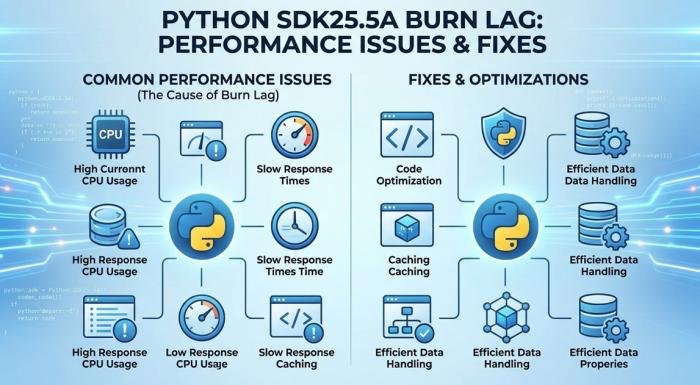
The following table summarizes common performance problems, their possible causes, and practical troubleshooting methods.
| Performance Issue | Possible Cause | Recommended Fix |
| Slow script execution | Inefficient code | Profile and optimize functions |
| High CPU usage | Excessive processing | Identify resource-heavy tasks |
| High RAM consumption | Memory-intensive operations | Review memory allocation |
| Delayed API responses | Network latency | Check connectivity and timeouts |
| Unexpected errors | Dependency conflicts | Verify package compatibility |
| Application freezing | Blocking operations | Use suitable asynchronous processing |
| Slow startup | Heavy initialization | Review startup operations |
| Repeated requests | Unnecessary API calls | Implement caching where appropriate |
How to Fix Python SDK25.5A Burn Lag
After identifying the possible causes, developers can follow a structured troubleshooting process.
1. Check Your Python Version
Start by checking which Python version is installed on your system. Open your terminal or command prompt and run:
python –version
On some systems, you may need to use:
python3 –version
Compare the installed version with the SDK’s official compatibility requirements. If the installed Python version is unsupported, consider using a compatible version in a separate development environment.
2. Verify the Installed SDK Version
The next step is to confirm which SDK package and version your project actually uses. For packages installed through pip, you can run:
pip show package-name
Replace package-name with the actual SDK package name. You can also check installed packages with:
pip list
This helps identify outdated packages, unexpected versions, and possible dependency problems.
Avoid assuming that the label 25.5A corresponds to a particular pip package version without checking the official documentation.
3. Update Compatible Dependencies
Outdated dependencies may contribute to performance or compatibility issues. First, check which packages are installed:
pip list –outdated
Review the available updates and confirm that newer versions are compatible with your SDK. You can update a specific package using:
python -m pip install –upgrade package-name
It is generally better to update packages individually in a development environment instead of upgrading everything without testing. This reduces the possibility of introducing new compatibility problems.
4. Create a Virtual Environment
A virtual environment keeps project dependencies separate from other Python applications.
This is especially useful when working with multiple projects that require different package versions. Create a virtual environment using:
python -m venv venv
Activate it on Windows:
venv\Scripts\activate
On macOS or Linux:
source venv/bin/activate
After activation, install the required SDK and dependencies inside that environment. This approach makes troubleshooting easier and reduces conflicts between projects.
5. Optimize Slow Python Functions
Code optimization can make a noticeable difference when the application performs repetitive or resource-intensive operations. Consider these improvements:
- Remove unnecessary calculations.
- Avoid repeatedly reading identical files.
- Use efficient data structures.
- Reduce unnecessary object creation.
- Replace inefficient loops when a more suitable method is available.
- Cache frequently requested data when appropriate.
For example, consider the following code:
numbers = [1, 2, 3, 4, 5]
result = []
for number in numbers:
result.append(number * 2)
print(result)
A more concise alternative is:
numbers = [1, 2, 3, 4, 5]
result = [number * 2 for number in numbers]
print(result)
Both examples produce the same result. However, the performance difference depends on the actual workload and should be measured rather than assumed.
6. Monitor CPU and Memory Usage
Monitoring system resources helps determine whether the slowdown originates from the Python application or the computer itself. On Windows, open Task Manager by pressing:
Ctrl + Shift + Esc
Check the CPU and Memory columns to identify processes consuming significant resources. On macOS, Activity Monitor provides similar information. On Linux, commands such as the following can help:
top
You can also use:
htop
if it is installed. Monitoring resource usage while reproducing the problem can help identify the process responsible for the slowdown.
7. Review Network Requests
If your SDK communicates with external APIs, examine request duration and network behavior.
Use appropriate connection and read timeouts instead of allowing requests to wait indefinitely. For example, when using the Python Requests library:
import requests
response = requests.get(
“https://example.com/api”,
timeout=10
)
print(response.status_code)
This example sets a timeout of 10 seconds. For actual SDK projects, use the timeout options supported by the relevant SDK rather than assuming every SDK accepts the same configuration.
8. Reduce Unnecessary Logging
Detailed logging is useful during development, but excessive logging can create additional overhead, especially when applications write large amounts of information to disk. Review the logging configuration and avoid unnecessary debug messages in production environments.
Python’s built-in logging module provides different logging levels, including DEBUG, INFO, WARNING, ERROR, and CRITICAL. Choose the appropriate level based on the application’s requirements.
9. Restart the Development Environment
Sometimes, temporary resource consumption or a stuck process can contribute to slow performance. Restarting the development server or Python application may help clear temporary issues.
However, restarting should not replace proper troubleshooting. If the same problem returns, investigate the underlying cause.
10. Test After Every Change
Avoid making several configuration changes simultaneously. Instead, change one setting or update one dependency at a time. Run the same workload after each modification and compare the results.
This approach makes it easier to determine which change actually improves performance.
Best Practices to Prevent Python SDK25.5A Burn Lag
Preventing performance problems is generally easier than fixing them after they affect an application.
Developers can follow several practical habits to maintain a stable Python development environment.
Keep Dependencies Organized
Maintain a record of project dependencies using a requirements file. For example:
pip freeze > requirements.txt
This records the installed package versions and helps reproduce the environment later.
Use Performance Profiling Tools
Python provides built-in tools that help identify slow functions. One useful option is cProfile:
python -m cProfile script.py
The profiler displays execution statistics that can help identify functions consuming the most processing time.
Instead of optimizing code based on assumptions, use profiling results to prioritize improvements.
Avoid Unnecessary Background Tasks
Run only the processes required by your application. Remove unused development servers, unnecessary scripts, and redundant scheduled tasks.
This helps reduce resource consumption and keeps the development environment organized.
Test SDK Updates Before Production
A newer SDK release does not automatically guarantee better performance for every application. Before updating a production project, test the new version in a separate environment.
Check compatibility, execution time, memory usage, and application behavior before deploying the update.
Maintain Regular Backups
Keep backups of important project files and dependency configurations. If an update introduces unexpected problems, having a previous working version makes recovery easier. Version control systems such as Git are useful for tracking changes and restoring earlier code.
When Should You Seek Additional Technical Support?
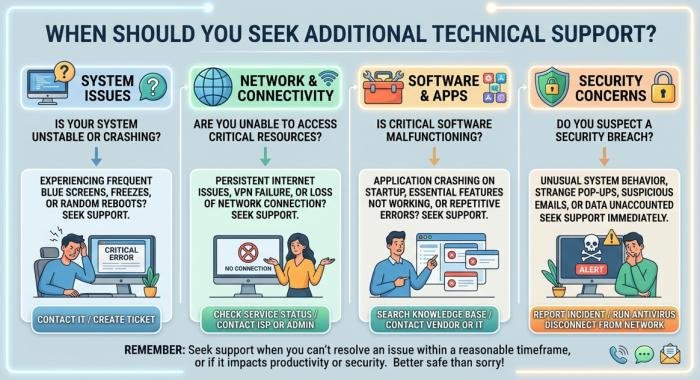
Some Python SDK performance problems require more than basic troubleshooting. Consider contacting the SDK provider or reviewing its official support resources when:
- The problem started immediately after installing a particular SDK release.
- The application repeatedly crashes despite dependency checks.
- Performance problems occur in a clean virtual environment.
- Official examples reproduce the same issue.
- Error messages indicate an internal SDK problem.
- The application becomes unstable even when system resources are available.
When reporting the problem, provide the Python version, SDK package name, operating system, dependency versions, error messages, and a minimal example that reproduces the issue. These details can help technical support identify the problem more efficiently.
Conclusion
Dealing with Python SDK25.5A Burn Lag becomes easier when you understand what might be affecting your application’s performance. From outdated dependencies and inefficient code to limited system resources and network problems, several factors can contribute to unexpected slowdowns.
By following the troubleshooting methods discussed above, you can identify potential issues, improve resource management, and maintain a more reliable Python environment. Always test changes carefully and check the official SDK documentation before applying version-specific solutions to keep your projects running smoothly.
Frequently Asked Questions
Q1: What is Python SDK25.5A Burn Lag?
Ans: Python SDK25.5A Burn Lag refers to performance-related concerns associated with an SDK identified by the 25.5A label. It may describe slow execution, high resource consumption, delayed responses, or application responsiveness problems. The exact cause depends on the SDK package and development environment.
Q2: What causes Python SDK25.5A Burn Lag?
Ans: Several factors can contribute to Python SDK25.5A Burn Lag, including outdated dependencies, inefficient code, memory limitations, high CPU usage, network connectivity problems, and incorrect SDK configuration. Identifying the specific cause is important before applying a fix.
Q3: How can I fix Python SDK25.5A Burn Lag?
Ans: Start by checking your Python version, verifying the installed SDK package, and reviewing dependency compatibility. You can also create a virtual environment, optimize inefficient functions, monitor CPU and memory usage, and investigate network delays.
Q4: Can outdated Python packages cause performance problems?
Ans: Yes. Outdated or incompatible packages can sometimes cause errors, unstable behavior, and performance problems. Check package requirements and update dependencies carefully after confirming compatibility with your SDK.
Q5: Does high RAM usage contribute to Python SDK25.5A Burn Lag?
Ans: Yes. When a Python application consumes excessive memory, the operating system may have fewer resources available for other processes. This can result in slower application performance. Reviewing memory allocation and identifying unnecessary objects can help.